

One of the most common questions for buyers is: How many pages can a laser printer print? The answer depends on the printer model, toner cartridge specifications, and how the machine is used. Understanding these details helps you compare products, choose the right printer for your needs, and plan your printing costs effectively.
Laser Printer Specifications and Page Yield
Laser printers are built for efficiency, using toner powder instead of liquid ink. Manufacturers list a page yield for each toner cartridge, which is the estimated number of pages it can print at 5% coverage (about a short paragraph of text on a standard page). This yield is an essential product specification to look at when choosing a printer.
For example:
- Standard Toner Cartridges: Average between 1,500 and 3,000 pages.
- High-Yield Cartridges: Print 5,000 to 10,000 pages, ideal for busy offices.
- Extra-High-Yield Cartridges: Handle 10,000 to 20,000+ pages, typically used in enterprise machines.
Some printers also include a separate drum unit. These are rated for 10,000 to 30,000 pages, and they transfer toner onto paper. Knowing both toner and drum specs helps you estimate ongoing maintenance costs.
Printer Models and Their Intended Use
Not all printers are created equal. Manufacturers design them with specific users in mind:
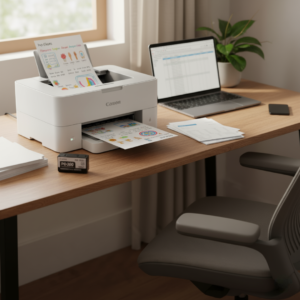
- Home and Small Office Printers
- Duty cycle: 1,000–10,000 pages per month
- Best for light use such as school assignments, invoices, or reports
- Uses standard cartridges with lower yields

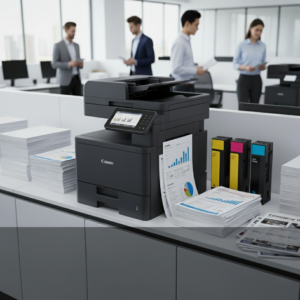
- Mid-Range Office Printers
- Duty cycle: 20,000–50,000 pages per month
- Equipped with high-yield toner options
- Designed for small to medium businesses handling regular workloads
- Enterprise Printers
- Duty cycle: 100,000+ pages per month
- Support extra-high-yield cartridges
- Suitable for print-heavy industries such as finance, healthcare, and education
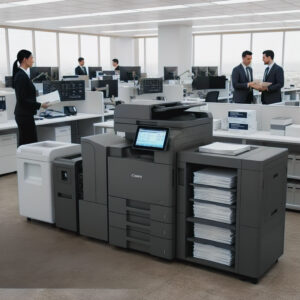
By matching the printer’s specifications to your monthly printing needs, you avoid overworking a small machine or overspending on an oversized model.
How Usage Affects Output
Even if your printer’s product sheet lists a 2,500-page yield, actual results vary depending on usage. Here’s how product use impacts page counts:
- Text vs. Graphics: Printing simple text consumes far less toner than full-color flyers.
- Print Settings: Draft or economy mode extends toner life, while high-quality modes reduce yield.
- Paper Type: Glossy or heavy stock may require more toner per page.
- Maintenance: A well-maintained printer operates at peak efficiency, while a neglected one wastes toner.
Understanding these use cases helps you get the most accurate idea of how many pages your printer will actually deliver.
Real-World Examples
- A Brother HL-L2350DW with a standard cartridge yields about 1,200 pages, while its high-yield TN-760 cartridge produces up to 3,000 pages.
- An HP LaserJet Pro M404dn offers 3,000-page yields with its standard toner and up to 10,000 pages with high-yield cartridges.
- Enterprise machines like the Xerox VersaLink B600 support extra-high-yield cartridges with 20,000+ pages per unit, ideal for corporate environments.
These product specifications make it easier to estimate when you’ll need replacements and how much they’ll cost annually.
Maximizing Value From Your Printer
To stretch your cartridge capacity and keep your printer running efficiently:
- Choose a high-yield toner if your monthly use is heavy.
- Print in grayscale or draft mode for internal documents.
- Schedule regular maintenance to prevent toner waste.
- Match your printer’s monthly duty cycle to your actual workload.
Final Thoughts
So, how many pages can a laser printer print? The answer depends on the toner cartridge specifications, printer model, and how you use the machine. Standard cartridges print a few thousand pages, while high-yield and enterprise options deliver tens of thousands. Understanding these product specs ensures you buy the right machine for your needs and avoid unnecessary costs.
For professional guidance, reliable toner supplies, and managed print solutions, trust Cal-Imaging Specialists Print and IT Solutions, your partner for cost-effective, high-performance printing.