

When shopping for office equipment, you may come across the question: what is a multifunction printer, and why is it such an important device for both home and office environments? A multifunction printer, often referred to as an all-in-one printer, is a versatile machine designed to handle several document-related tasks in one compact unit. Instead of buying a separate printer, scanner, copier, and fax machine, an MFP brings them all together, making it one of the most cost-effective and space-saving investments for personal and business use.
Product Specifications of a Multifunction Printer
Modern multifunction printers come in a variety of specifications to suit different needs. While exact features vary by brand and model, here are the most common specifications to expect:
- Printing Technology – Available in inkjet or laser technology. Inkjet printers are excellent for photo-quality prints and small-scale jobs, while laser printers are built for speed and high-volume text documents.
- Print Resolution (DPI) – Measured in dots per inch, typical resolutions range from 600 x 600 dpi for standard documents to 1200 x 1200 dpi or higher for sharper graphics and detailed images.
- Print Speed (PPM) – Pages per minute vary by model. Entry-level printers may produce 10–15 ppm, while office-grade laser MFPs can reach 30–50 ppm, perfect for fast-paced business environments.
- Paper Handling – Most MFPs include input trays that hold between 150–500 sheets, and many models support multiple paper sizes (A4, Letter, Legal). Duplex printing is often available for two-sided output.
- Scanning Resolution – Flatbed or ADF (Automatic Document Feeder) scanners usually support 600 x 600 dpi up to 1200 x 2400 dpi, making them useful for archiving and digitizing important records.
- Connectivity Options – USB 2.0, Ethernet, Wi-Fi, and even Bluetooth or NFC printing are common. Many MFPs also integrate with cloud services such as Google Drive, Dropbox, or OneDrive.
- Operating Costs – Ink cartridges and toner yield vary, with some high-efficiency models producing 1,000–3,000 pages per cartridge. Eco modes also help lower energy consumption.
Product Uses of a Multifunction Printer
A multifunction printer is not just about specifications it’s about how these features work in real life. Here’s how MFPs are used across different environments:
1. Home Use
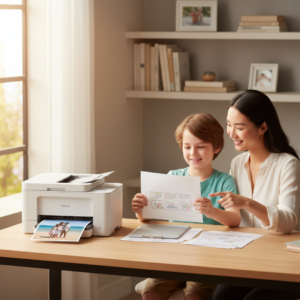
For households, an MFP is perfect for printing school assignments, scanning family documents, and even producing photo-quality prints. Compact inkjet models are lightweight, affordable, and easy to set up on a desk or shelf.
2. Small Businesses
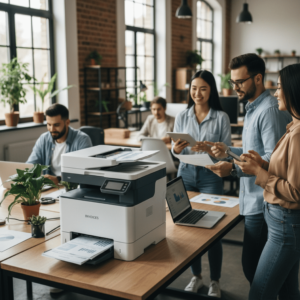
Startups and small offices benefit from cost savings and efficiency. Instead of investing in four separate devices, a single MFP handles contracts, invoices, scanned receipts, and client presentations. Wireless connectivity allows employees to print directly from laptops or smartphones.
3. Corporate Offices
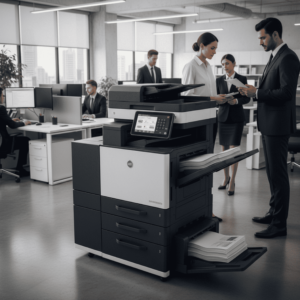
Large-scale multifunction printers are built to handle thousands of pages per month. Laser MFPs with high-capacity trays, fast ppm rates, and secure printing features are essential for departments that need bulk printing without delays. Advanced models also include PIN-protected printing for confidentiality.
4. Educational Institutions
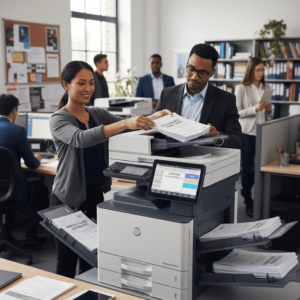
Schools and universities use MFPs for high-volume handouts, reports, and exams. The scanning and copying features are especially valuable for teachers and administrators who need quick duplication of documents.
5. Remote Workers
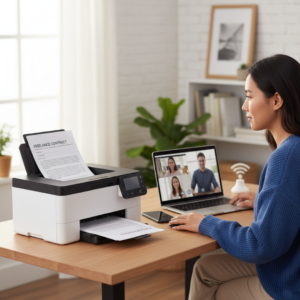
Portable or compact MFPs are ideal for freelancers or professionals working from home. They offer the flexibility to handle everyday office tasks without requiring large, commercial-grade equipment.
Choosing the Right Multifunction Printer
When deciding which MFP is best for you, always match the product specifications to your intended use:
- Need high-quality images? Choose an inkjet MFP with high dpi resolution.
- Printing thousands of pages monthly? A laser MFP with high ppm and toner yield is more efficient.
- Limited office space? Opt for a compact or portable MFP.
- Collaborative teams? A Wi-Fi-enabled MFP with cloud printing keeps everyone connected.
Final Thoughts
Now that you understand what is a multifunction printer, it’s clear that these devices are more than just printers they are complete document management solutions. From homes to large offices, MFPs deliver speed, convenience, and cost savings while reducing clutter and improving workflow.
For expert recommendations and reliable solutions tailored to your printing needs, trust Cal-Imaging Specialists Print and IT Solutions your partner in bringing the best multifunction printer technology to your workspace.