

If you’ve ever wondered what is a server, it’s important to understand that a server is a specialized computer or software system designed to store, manage, and deliver data or services to other devices, called clients, over a network. Unlike personal computers, which serve only one user at a time, servers are built to handle multiple requests simultaneously, operate continuously, and maintain reliable performance. Servers are the backbone of modern digital systems, powering websites, email platforms, cloud storage, and business applications. Knowing the specifications and uses of servers is crucial for businesses, IT professionals, and anyone who depends on technology for daily operations.
Server Product Specifications
Servers are designed to meet demanding workloads and provide uninterrupted service. Key specifications include:
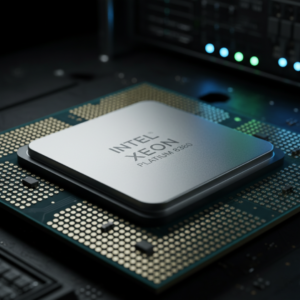
- Processor (CPU): Servers use high-performance processors such as Intel Xeon or AMD EPYC. These CPUs are capable of managing multiple tasks simultaneously, ensuring efficient multitasking and fast processing.
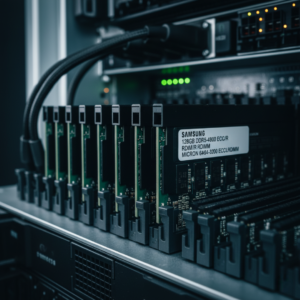
- Memory (RAM): Servers typically include significantly more RAM than personal computers, ranging from 16GB in small setups to over 1TB for enterprise-level servers. Large RAM capacity enables quick data access and smooth operation under heavy workloads.

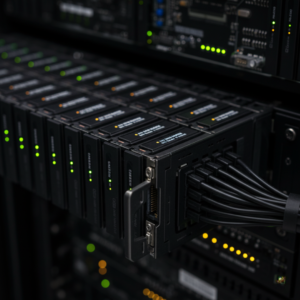
- Storage: Enterprise servers use fast SSDs or high-capacity HDDs, often in RAID configurations to prevent data loss and provide redundancy. Some servers also support scalable storage for future expansion.
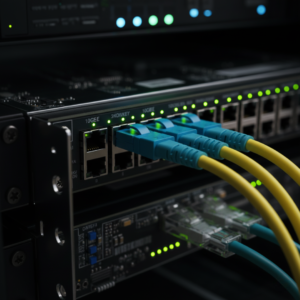
- Network Interface: High-speed network adapters, such as 1GbE or 10GbE, enable rapid communication between servers and clients, essential for data-intensive operations.
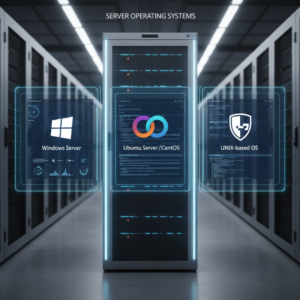
- Operating System (OS): Common server operating systems include Windows Server, Linux distributions like Ubuntu Server or CentOS, and UNIX-based systems optimized for stability and security.
- Form Factor: Servers are available in tower, rack-mounted, or blade configurations, depending on available space, scalability needs, and performance requirements.
- Power Supply & Cooling: Redundant power supplies and advanced cooling systems are standard to ensure continuous operation and minimize downtime even under heavy workloads.
Server Product Uses
Servers are versatile and support a wide range of business and personal applications. Their main uses include:
- Web Hosting: Web servers host websites and deliver content to users’ browsers. Reliable web servers are essential for businesses to maintain a consistent online presence.
- Data Storage & File Sharing: File servers store documents, multimedia, and backups. Employees can access shared files securely from multiple locations.
- Database Management: Database servers manage structured data, allowing multiple users to access, update, and analyze information efficiently.
- Email & Communication: Mail servers handle email delivery, storage, and security, supporting internal and external business communication.
- Application Hosting: Application servers run business software or cloud applications, enabling multiple users to access critical tools simultaneously.
- Media Streaming & Delivery: Content servers provide on-demand delivery of videos, music, and software updates to users globally.
- Gaming & Virtualization: Game servers host multiplayer online environments, while virtualization servers allow multiple virtual machines to run on a single physical server, improving efficiency and reducing hardware costs.
Real-Life Examples of Servers
Servers are an integral part of modern technology. Examples include:
- A small business using a file server to store and share internal documents among employees.
- Online stores relying on web servers to manage website traffic and process transactions efficiently.
- Cloud storage services like Google Drive using file servers to provide secure data storage.
- Email platforms such as Gmail and Outlook running on mail servers to manage millions of messages daily.
- Streaming platforms like Netflix or Spotify relying on content servers to deliver media instantly to millions of users worldwide.
Importance of Servers
Understanding what is a server helps businesses and individuals appreciate the technology that powers digital systems. Servers provide centralized data management, enable collaboration, maintain uninterrupted service, and support scalable IT operations. Choosing the right server with suitable specifications ensures efficiency, security, and reliability for any organization.
For businesses looking for professional IT solutions, Cal-Imaging Specialists Print and IT Solutions offers expert server installation, maintenance, and support services. Their solutions ensure that your servers operate at peak performance, providing secure, efficient, and scalable IT infrastructure tailored to your business needs.